Before you start
This guide assumes that you have already set up Billing and Payments, and that you have an existing transaction that you wish to refund. You can only issue a refund against an existing payment, and the refund cannot exceed the amount that the client paid on the relevant transaction.
Step 1: Find the payment
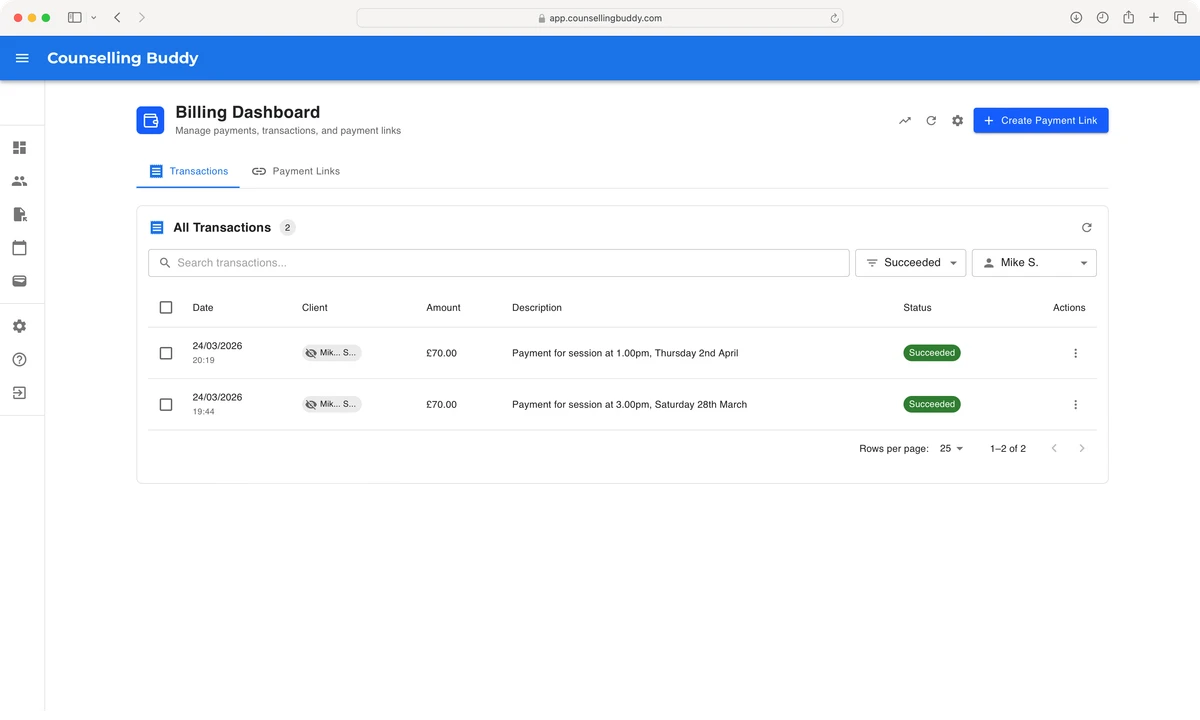
Navigate to the billing dashboard, via the wallet icon in the left hand menu in Counselling Buddy. Once you reach the billing dashboard, you should see a list of recent transactions.
You can filter the transactions list to help you find what you are looking for by using the search bar, or the dropdown boxes
to select a status and a client. For this example, I selected the Succeeded status and chose the client who I wanted to refund.
As you will see, this left 2 transactions, so I could easily find the one I was looking for.
Good to know: The description of payments that were automatically created by Counselling Buddy will include the date and time of the session they were created for.
Step 2: Issue the refund
-
Click on the button, in the actions column, to the far right of the transaction that you want to refund.
- Then click the
Refund Paymentoption that appears in the dropdown menu.
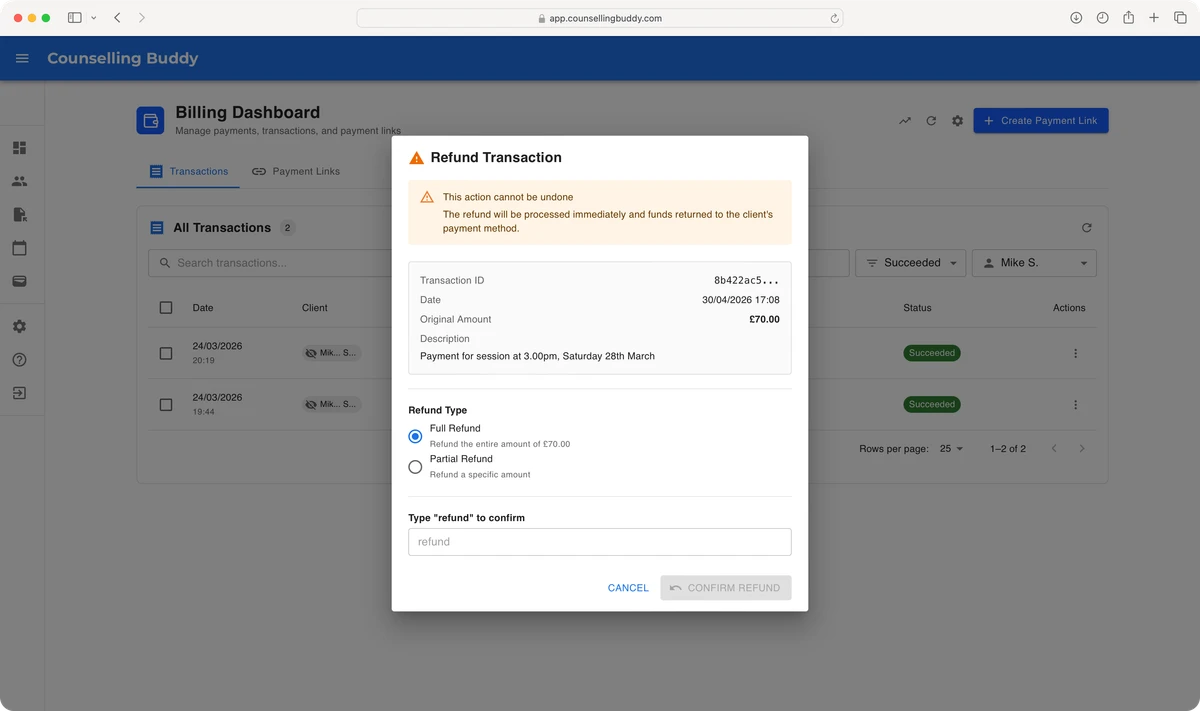
You should now see a popup, allowing you to confirm that you would like to refund the payment, and whether you would like to issue a full or partial refund. You can choose to refund any amount, up to the total that was paid for that transaction.
Good to know: It is important to note that once you have issued a refund in Counselling Buddy, it cannot be cancelled. Refunds are processed on our end immediately, but typically reach you client within 3-5 working days, depending on their bank’s processing rate. This is why you have to type the word “refund” to confirm that you are deliberately issuing the refund.
What happens next
Refunds are processed via Stripe, and typically reach your client’s bank account within 3 working days (though it can take up to 10 depending on their bank’s processing rate). Counselling Buddy does not notify your clients that a refund has been processed.
The transaction will still show in your billing dashboard, but the status will update to Refunded or Partially Refunded
accordingly.
Important
- The client will receive the full amount that you specify, but Stripe does not refund the payment processing fee, which may be deducted from your account balance.
- You cannot issue a refund if you do not have sufficient funds in your Stripe balance. If you don’t have sufficient funds, but need to issue a refund, you can login to the stripe dashboard (via the billing dashboard in Counselling Buddy) and top up manually.