Your files. Secure and accessible.
Working agreements in your email inbox, worksheets in a filing cabinet, notes in your documents folder. It’s common to scatter files around, maybe even to have multiple copies, but when you need something from 6 months ago, does that system actually work?
You may also have worries about compliance - is the way that you handle information secure? If you were audited would it be flagged as an issue?
Counselling Buddy’s Document Storage was built around these problems, with compliance at its core. All documents are encrypted, backed up, and accessible wherever you are. Away from your computer? You can log in from another device and still retain full access to your information.
Lost your laptop? You can logout of all devices from your account settings on another device to retain access to your information and prevent anyone else gaining access if they find your missing device.
What belongs in document storage
Anything you’d currently store in a folder, a filing cabinet, or an email thread is a candidate:
- Consent and contract forms - signed intake documents, working agreements
- Referral letters - incoming referrals or letters you’ve written
- Assessment documents - questionnaires, outcome measures, session frameworks
- Correspondence - letters from GPs, psychiatrists, or other professionals
- Practice admin - supervision notes, CPD certificates, policy documents
Each file is attached to the relevant client profile, so there’s no need to create your own folder structure. The platform organises it for you.
When a client leaves
When you remove a client, their data is deleted alongside their profile, session history, and notes. We recommend archiving clients instead, so you can retain records in line with GDPR and professional guidelines*.
*Typically requiring that records are retained for 7 years.
How it fits into the rest of the platform
- Client Management - documents live inside the client profile, one click from everything else
- Session Notes - written notes and uploaded files sit side by side in the client’s record
- Session Management - attach session-specific documents to individual sessions
- Security & Compliance - documents inherit the full encryption and audit trail framework
Getting started
- Open a client profile and scroll down to the files & notes section
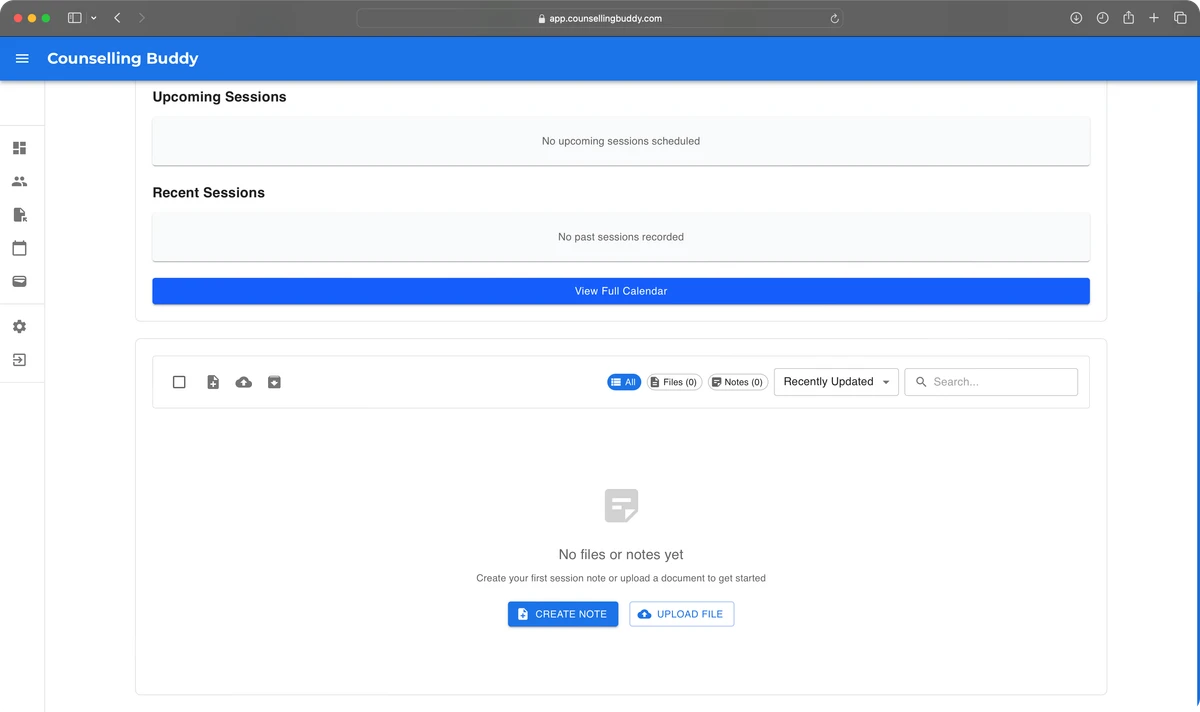
- Use the upload button to open the file upload window.
- Select or Drag & Drop Files to upload them
- Add tags or clear filenames to make it clear what the file is later. The name will autofill with the files current name, which you can change if you’d like.
- Click confirm upload and you’re done!